 Shift Diary
The tag does the work
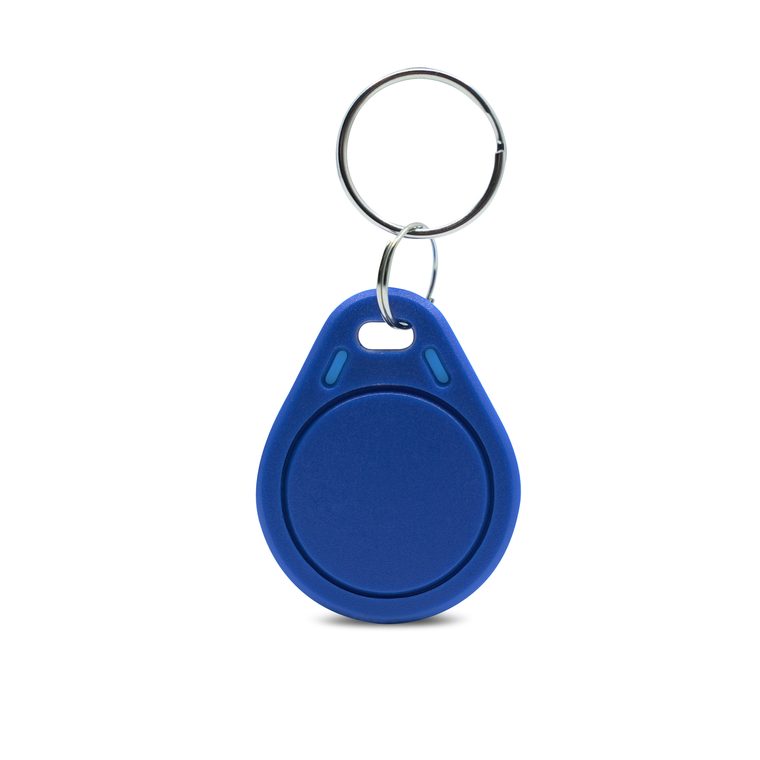
Each employee carries their own NFC tag and holds it to the clock station. The app sits on a manager's, supervisor's or driver's phone — not on every employee's — so there is nothing for staff to install, learn or lose.
NFC time & attendance
Your staff tap a personal NFC tag. Shift Diary stamps the time, the place and the person — and keeps working when the signal doesn't. No timesheets, no buddy clocking, no arguments on payday.


Built for farms
The whole idea
Each employee carries their own NFC tag and holds it to the clock station. The app sits on a manager's, supervisor's or driver's phone — not on every employee's — so there is nothing for staff to install, learn or lose.
Every scan is stamped with the date, the time, the GPS location and the employee's name. The record is made by doing the job, not by writing it down afterwards.
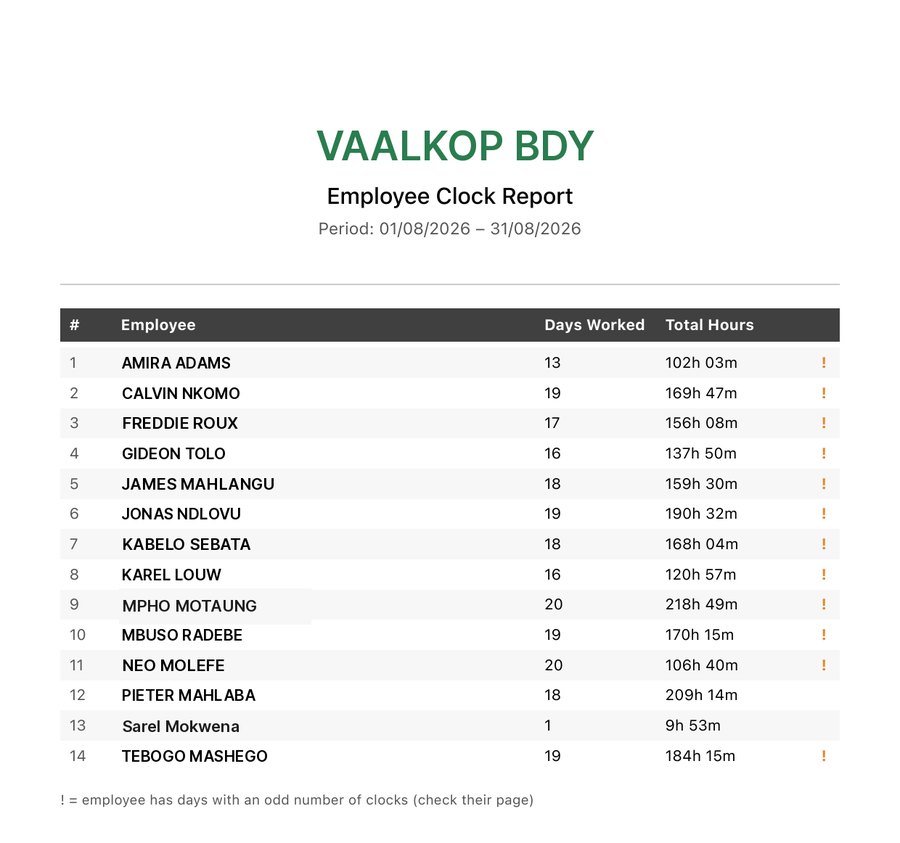
Pick a date range and get a timesheet: a page per employee with every day of the period, time in, time out and hours — and a summary page with days worked and total hours for the whole team.
Before Shift Diary
Knowing who is at work is somebody's whole day. Who came in, who came in late, who didn't pitch at all — and somebody has to know it every morning, on every site.
Most companies solve it on a WhatsApp group. The managers post it as it happens, and in the moment it works fine. Then payday comes and you're scrolling — weeks back up a group that also has photos, voice notes, a broken bakkie and somebody's birthday — looking for the message that says who was late on the 14th, and hoping somebody remembered to send it at all.
And that's if you can find it at all. Somebody answers "Peter" — but which Peter, and at which site? You search for Peter and miss the message that says Pieter, because the two managers spell him differently. And half the answers are in voice notes, which nobody has ever been able to search.
"I used to do the payroll at a company that ran exactly like this. Every month I went back through the messages trying to work out what had happened, and when, and where. That is the reason I built Shift Diary."
Morné Heyns · Diary SANow you log in and it's already there — the day, the time, the place and the person, in one place and in order. Nothing to scroll for, nothing anyone has to remember to post, and nothing that only lives in one manager's phone.
Scroll up and find the 14th.
Found it. Now do that for every day of the month.
Inside the app
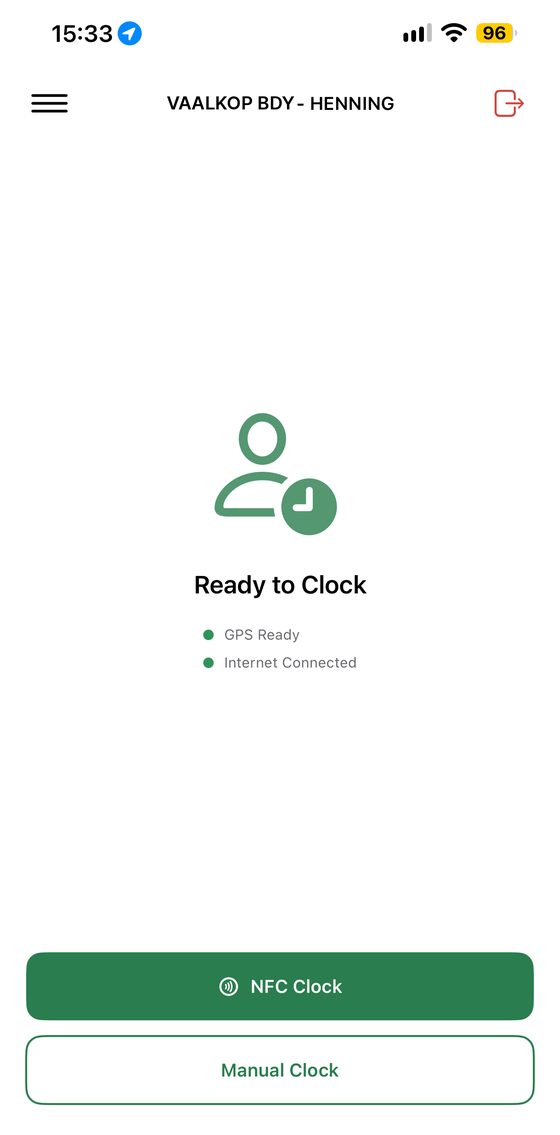
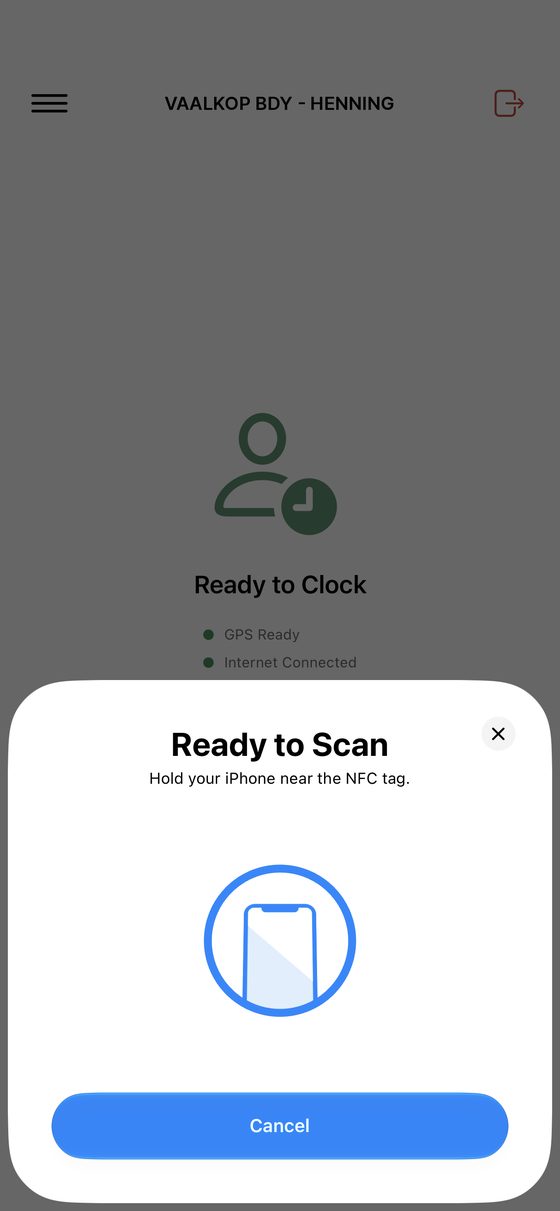
The clocking phone shows one thing: ready to clock, with GPS and connection status in plain words. It lives with whoever runs the gang — a supervisor, a manager, the driver of the bakkie — not with the staff. On Android the app just listens, so you open it and they start scanning. On iPhone you tap NFC Clock first, then the tags go through.
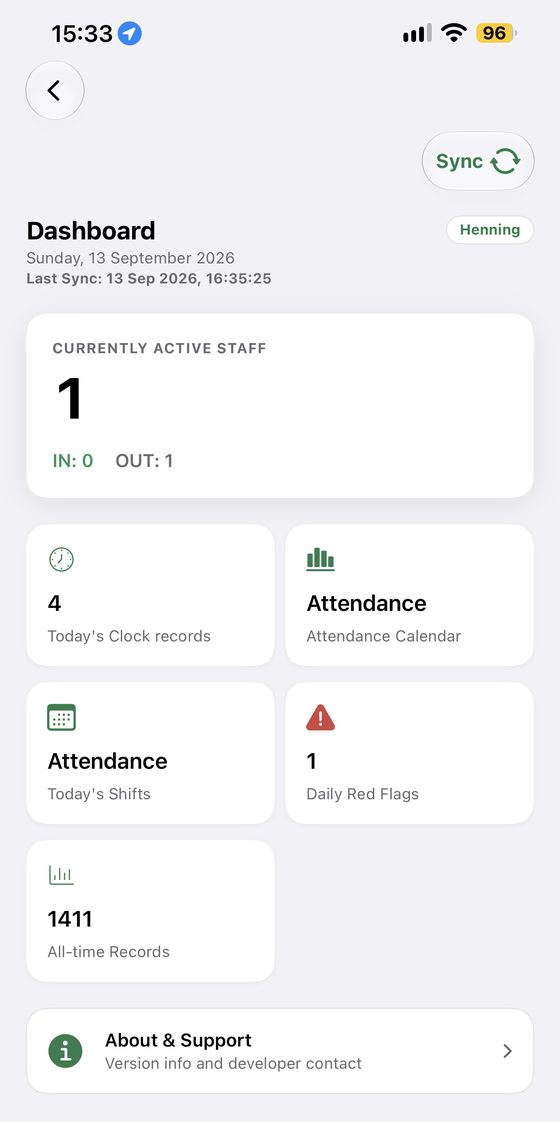
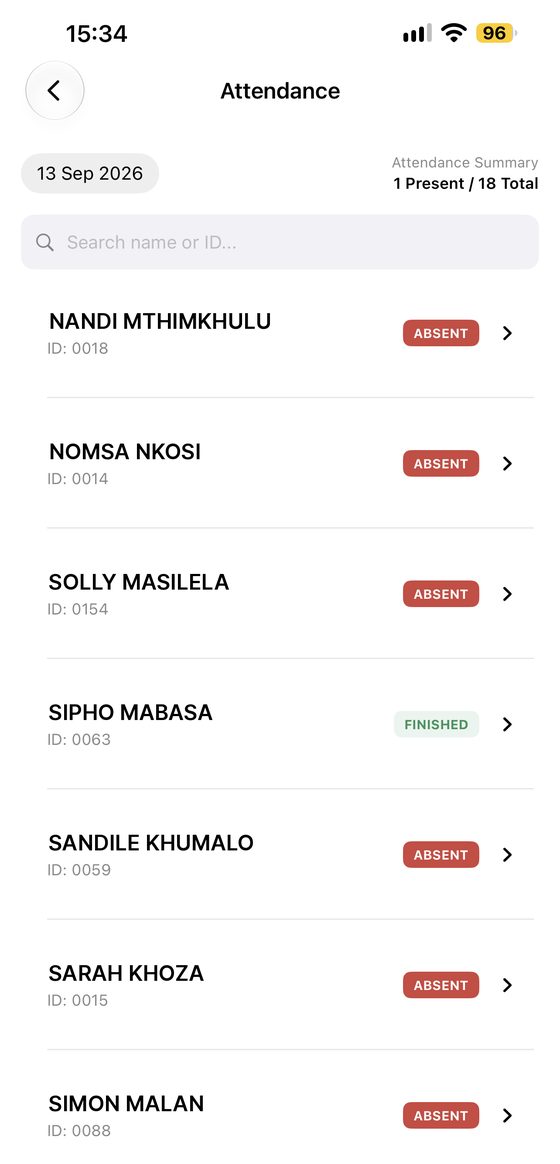
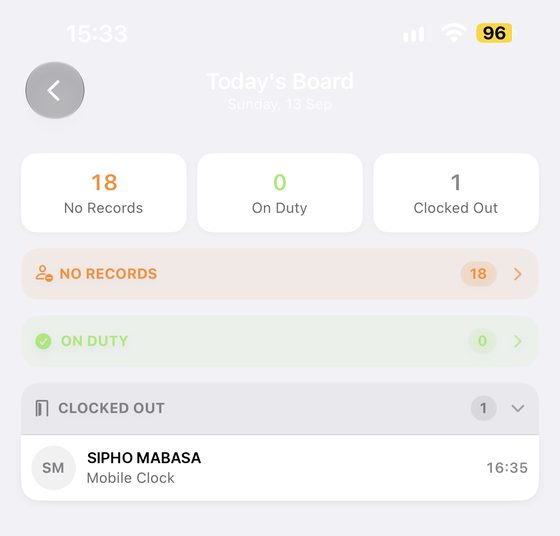
Today's board splits your whole team into three: no records yet, on duty, and clocked out. People move across it as the taps happen, so a missing person is obvious by mid-morning.
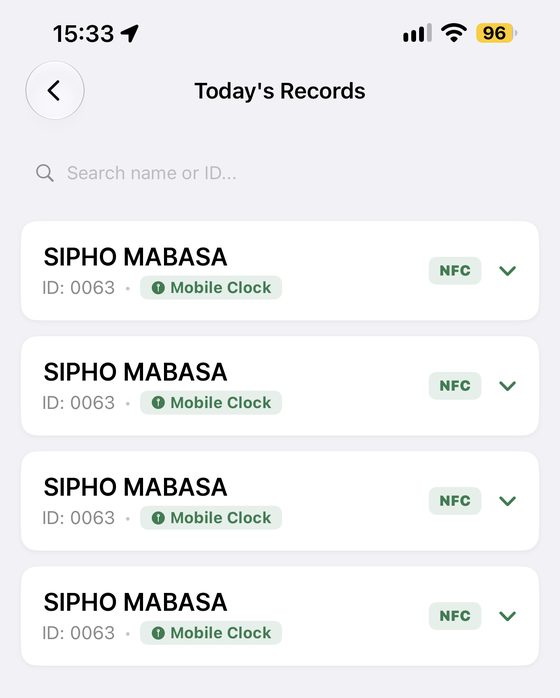
Shift Diary reads up to four tags a second. A gang of forty is through the gate in the time it takes them to walk past it — no line at the bakkie, no one clocking late because they were waiting.
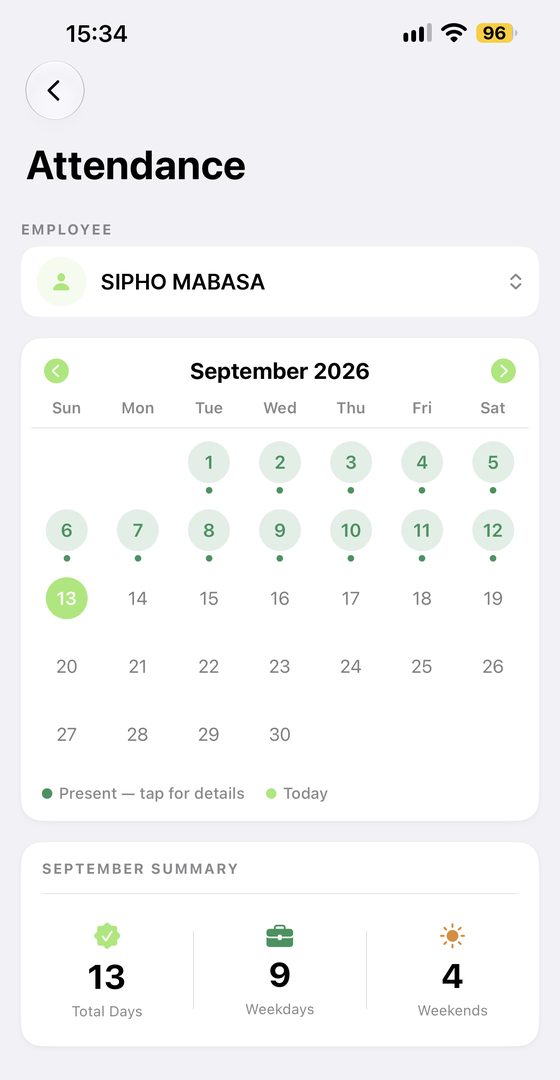
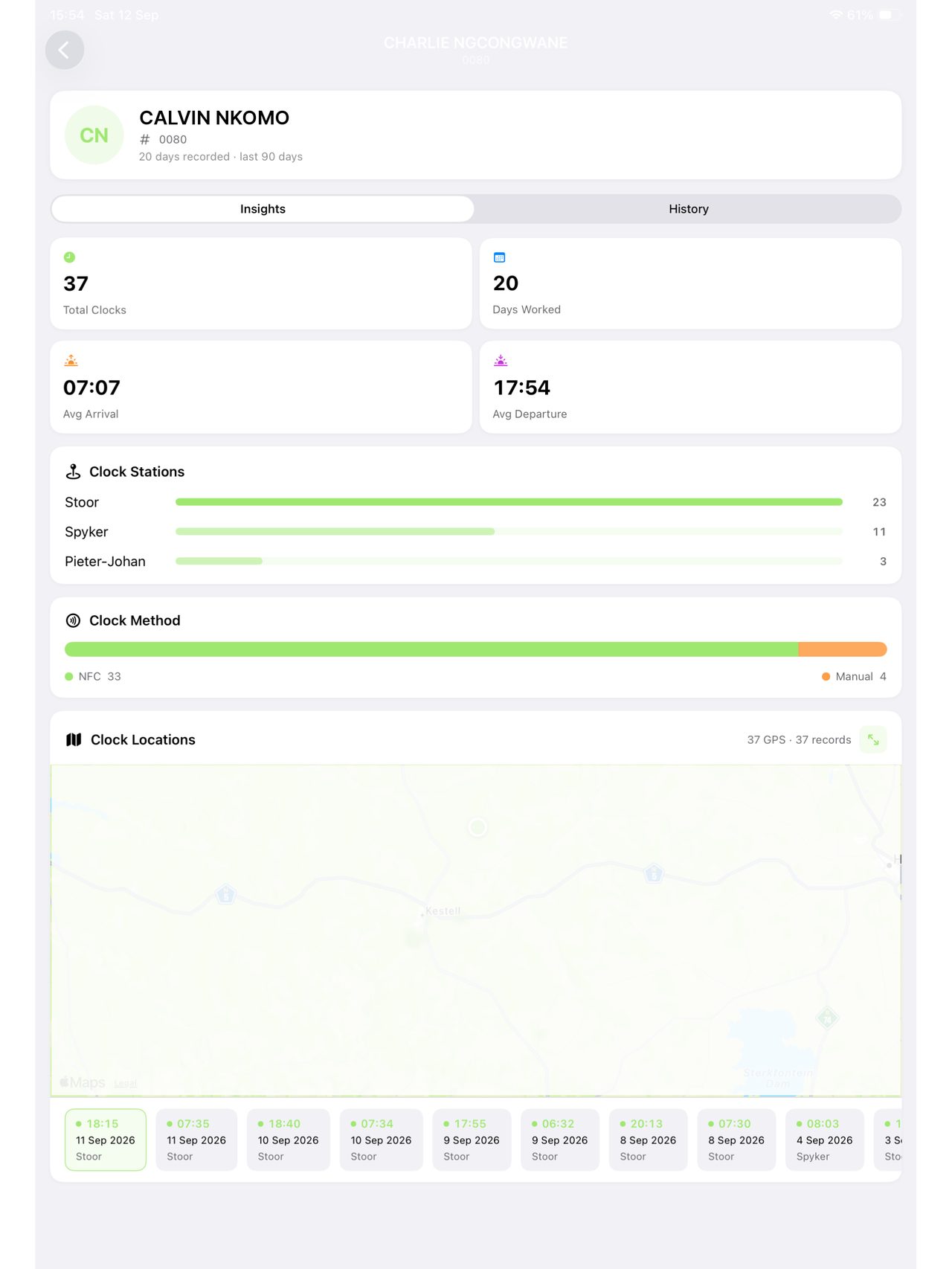
Open a person and get their month on a calendar — every day they were present, tap for the detail — plus a summary of total days, weekdays and weekends worked.
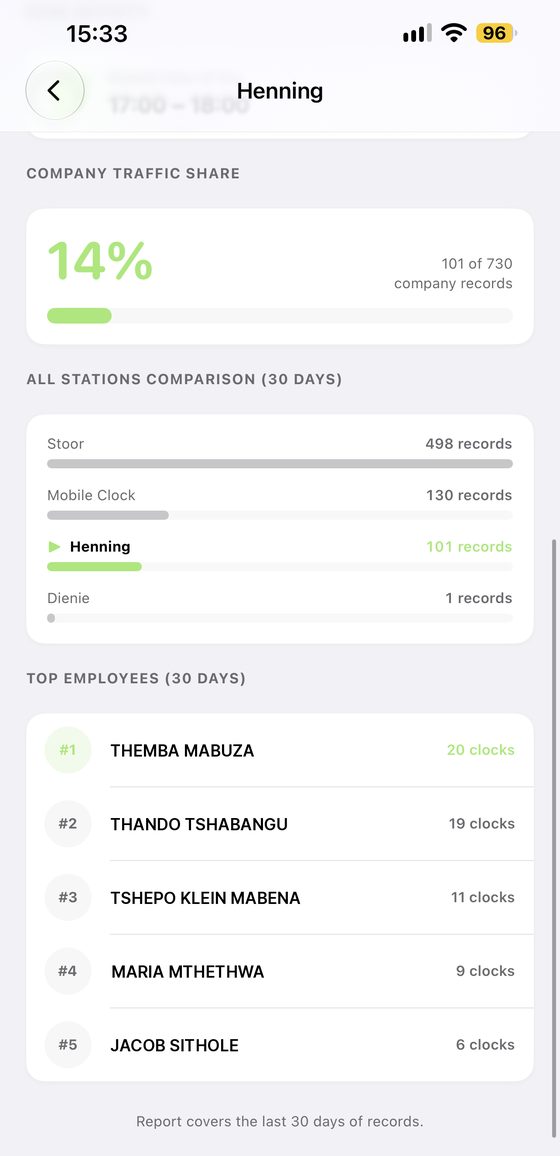
See how each gate or site is actually being used: total records, unique employees, average records a day, the peak hour, each station's share of your clocking and who taps most.
Choose a start and end date and Shift Diary builds a timesheet: every employee with days worked and total hours, then a page each showing every date, time in, time out and hours. A day that doesn't add up is flagged rather than guessed at.
Example export
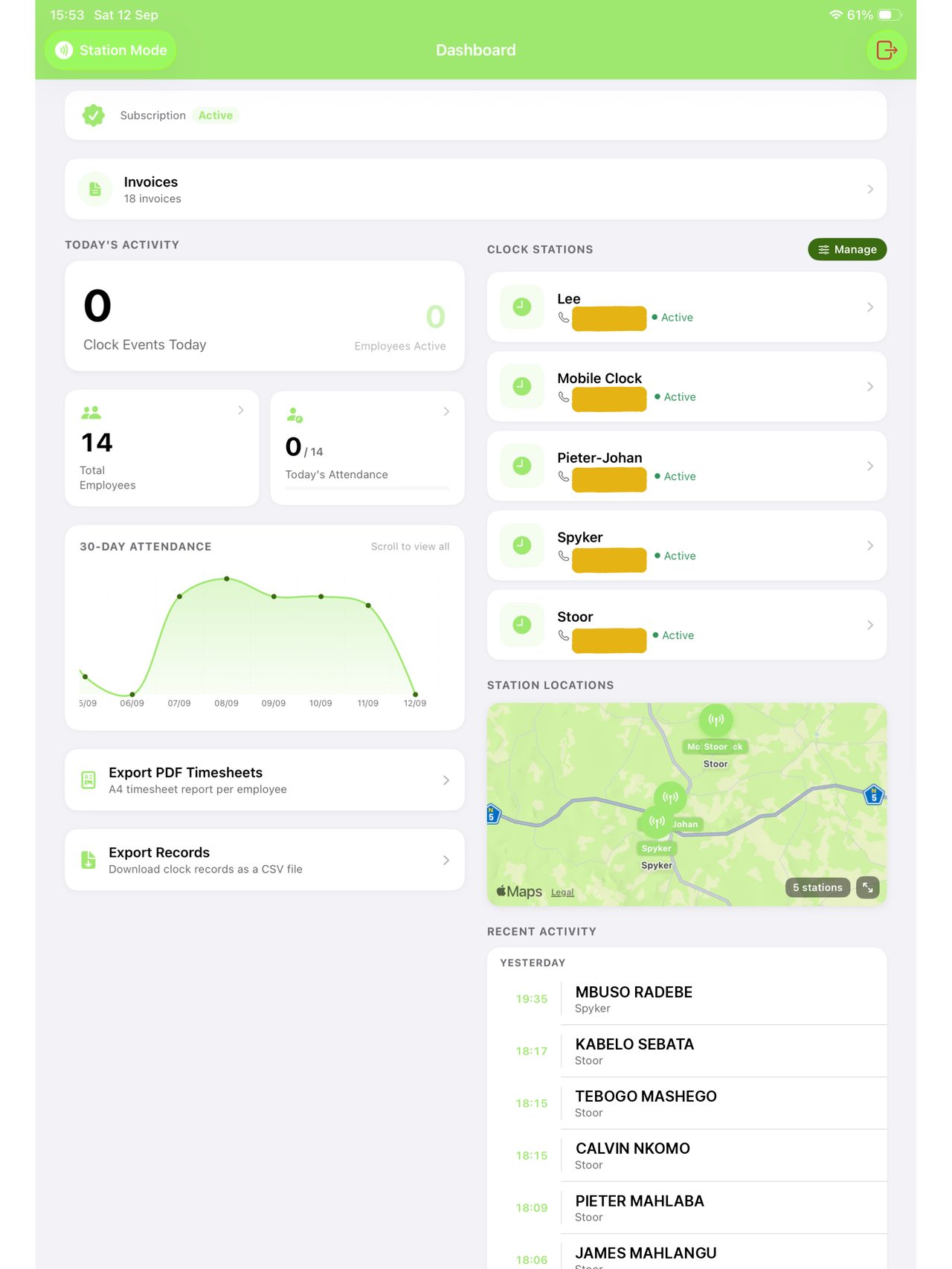
Every clock station shows its last known location on the map, so you can see where your gates actually are. Open any employee and you get the same thing for them — every place that person has clocked, plotted.
The tag
Each employee gets a keyring fob programmed to their name in the app. It costs almost nothing, it survives a work pocket, and it can't be texted to a friend who's running late. Go for a bright colour — red is worth it, because a tag dropped in a field is a lot easier to find.
Why it can't be gamed
Buddy clocking works because a code can be shared and a signature can be copied. A tag has to be there, and the app records where "there" was.
The tag has to physically touch the device. Codes get passed around a workshop in a morning — tags don't.
Each clock-in carries the coordinates it happened at, and they're plotted on a map — so a shift at the wrong gate shows up as one.
A lost tag or a forgotten scan can be fixed by hand, and the record shows it was a manual clock rather than a tap. A double tap can be voided by an admin — and brought back again, because nothing is ever really removed.
On the bigger screen
On an iPad you get the wide view: today's activity, a thirty-day attendance graph, every station's status, where your stations are on the map, and the export buttons that turn it all into a timesheet.
Your records
The tap is written on the device the second it happens. From there it goes to our servers, encrypted — so a phone that gets dropped, stolen or replaced takes nothing with it, and nobody outside Diary SA can see a thing about your company or your staff.
If the connection drops, every record stays safely on the device. Staff carry on tapping and nobody at the gate notices anything.
The moment there's signal again, the waiting records are pushed up automatically. You don't have to press anything or remember anything.
Your history lives encrypted on secure cloud servers, backed up and there when you need it. It isn't shared, sold or shown to anyone outside Diary SA.
The difference
Nothing here is a knock on paper. It works — right up until somebody asks you to prove a Tuesday from three weeks ago.
Pricing
Clock your staff for nothing, pay R500 a month to keep every record and the exports — one price, however big you get — and add payroll when you want the payslips to come out of the same hours. Month to month, with no subscription that renews itself behind your back.
From the field
★★★★★"Baie dankie! Dit is ongelooflik eenvoudig en werk regtig uitstekend."
★★★★★"If it wasn't for Shift Diary, I wouldn't want to work on this farm. No more paperwork — everything is so easy now!"
★★★★★"Sedert Shift Diary my tydbywoning oorgeneem het, hoef ek nooit weer te wonder waar en wanneer my werknemers ingeklok het nie. Alles is duidelik en maklik toeganklik."
Get started
Free to download, free to set up, free to run. You only pay when you want the full history and the exports.
Questions first? WhatsApp 068 174 3083